



New Branch Office IT Setup: What to Rent Before Opening Day
October 10, 2026
How to Manage Laptop Allocation, Returns and Reassignment During Employee Turnover
October 16, 2026
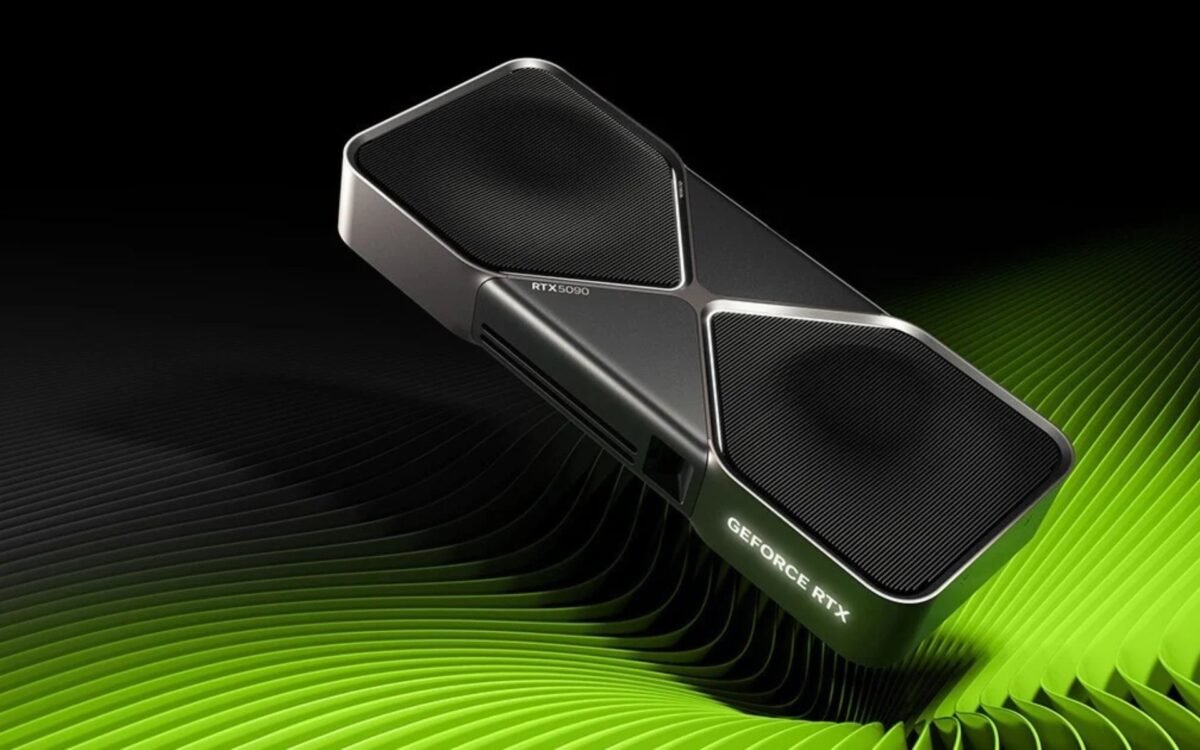
Technology is evolving rapidly, and businesses increasingly need powerful computing systems to handle demanding workloads. From artificial intelligence (AI) development and machine learning to 3D rendering, video production, and advanced data processing, modern applications require more than a standard desktop computer. This is where a high-performance GPU workstation becomes valuable.
The NVIDIA GeForce RTX 5090 is designed for demanding computing and creative workloads. Featuring 32GB of GDDR7 memory, NVIDIA Blackwell architecture, and 21,760 CUDA cores, it offers substantial graphics and parallel-processing capabilities for compatible applications.
However, purchasing a high-end workstation can require a significant upfront investment. For businesses and professionals working on temporary projects, renting a workstation can provide access to powerful hardware without committing to an expensive purchase.
In this guide, we explore who needs an NVIDIA RTX 5090 workstation, which workloads can benefit from it, and when renting makes more sense than buying.
What Is an NVIDIA RTX 5090 Workstation?
An NVIDIA RTX 5090 workstation is a high-performance computer built around the GeForce RTX 5090 graphics card. Unlike a standard office computer, a GPU workstation is configured to handle computationally intensive tasks that benefit from GPU acceleration.
The RTX 5090 uses NVIDIA’s Blackwell architecture and includes advanced Tensor Cores for AI-related workloads and RT Cores for ray-tracing operations. Its 32GB of GDDR7 video memory helps support graphics-intensive applications, compatible AI models, and complex creative projects.
A complete workstation typically combines the graphics card with a powerful processor, sufficient system RAM, fast SSD storage, a compatible motherboard, and an appropriately rated power supply.
The exact configuration matters because installing a powerful GPU alone does not guarantee optimal performance. The processor, memory, cooling system, software compatibility, and workload all influence the overall results.
Key Specifications of the NVIDIA RTX 5090
Understanding the hardware specifications helps businesses determine whether this workstation is suitable for their requirements.
The NVIDIA GeForce RTX 5090 features 21,760 CUDA cores, 32GB of GDDR7 graphics memory, a 512-bit memory interface, and fifth-generation Tensor Cores. It also supports advanced ray tracing and NVIDIA’s AI-enhanced graphics technologies.
The reference graphics card has a total graphics power rating of up to 575 watts, with NVIDIA specifying a 1,000-watt system power recommendation. Actual power requirements depend on the complete system and graphics-card implementation.
These specifications make the RTX 5090 a compelling option for selected AI development, rendering, simulation, and content-production workloads. However, performance varies depending on the software, model size, memory requirements, and system configuration.
1. AI Developers and Machine Learning Engineers
AI development is one of the most relevant applications for high-performance GPU workstations. Training neural networks, experimenting with deep learning architectures, processing datasets, and running compatible AI models can require substantial parallel-processing power.
An RTX 5090 workstation can help AI developers run supported CUDA-based applications, experiment with machine learning frameworks, and accelerate workloads that benefit from GPU computation.
For example, a development team building an image-recognition application may use GPU acceleration to train or fine-tune a model. Similarly, engineers working on computer vision, natural language processing, or image-generation systems may benefit from additional GPU resources.
The 32GB of graphics memory can also be useful when working with models and datasets that fit within its available memory.
However, not every AI model will run entirely on a single GPU. Larger models may require quantization, memory optimization, multi-GPU systems, or cloud infrastructure.
For teams that need powerful hardware for a limited development period, renting an RTX 5090 workstation can be a practical way to evaluate performance before making a long-term investment.
2. Generative AI and Local AI Model Development
Generative AI applications are creating new opportunities for developers, researchers, designers, and technology companies.
Professionals working with image generation, local language models, AI-assisted content creation, and model experimentation often need a GPU that supports their chosen software and workload.
An RTX 5090 workstation can be useful for running compatible local AI applications, testing inference workflows, generating images, and experimenting with model configurations.
Businesses may also use a dedicated workstation to evaluate AI tools before integrating them into their production environments.
For instance, an AI startup developing an internal content-generation platform may need a powerful GPU system for testing different models, measuring response times, and assessing resource requirements.
Renting can help the team access suitable hardware during the testing phase without immediately purchasing a permanent workstation.
Before selecting a configuration, businesses should verify model compatibility, available VRAM, framework support, operating-system requirements, and expected performance.
3. 3D Artists, Animators, and VFX Professionals
Creating realistic digital environments and visual effects can place considerable demands on computer hardware.
3D artists, animation studios, and visual-effects teams frequently work with detailed models, complex materials, lighting effects, high-resolution textures, and demanding rendering projects.
An RTX 5090 workstation can accelerate supported rendering and viewport operations in compatible applications. Its ray-tracing capabilities can also benefit workflows that use GPU-accelerated lighting and rendering.
Professionals working with Blender, Unreal Engine, and other compatible creative tools may use a powerful GPU workstation to improve their production workflow.
For example, an animation studio producing a short film may need additional computing resources to meet a delivery deadline. Renting a high-performance workstation for the project can provide temporary capacity without requiring the studio to purchase additional systems permanently.
The final performance improvement depends on the rendering engine, scene complexity, GPU support, and whether the application relies primarily on the GPU or CPU.
4. Video Editors and Content Production Companies
Modern video production involves high-resolution footage, complex effects, colour grading, motion graphics, and demanding export workflows.
Video editors working with 4K or 8K footage may benefit from powerful GPUs when their editing software supports GPU acceleration. The RTX 5090 also includes modern video encoding and decoding capabilities that can assist supported production workflows.
Content production companies, advertising agencies, filmmakers, and independent creators may consider a high-performance workstation when their existing computers struggle with demanding projects.
For example, a production company editing a large commercial campaign may require additional hardware for a few weeks. Renting a workstation can help meet project deadlines while avoiding the cost of purchasing equipment that may not be needed afterward.
Before renting, check the editing application’s GPU requirements, supported codecs, available system memory, storage speed, and compatibility with the production workflow.
5. Architects, Engineers, and CAD Professionals
Architectural visualization and engineering applications can require substantial computing resources, especially when projects involve detailed models, realistic materials, complex lighting, and high-resolution rendering.
Architects and designers working with compatible rendering tools may benefit from an RTX 5090 workstation when producing photorealistic images, walkthroughs, and presentation videos.
Similarly, engineering teams may use GPU acceleration in supported simulation, visualization, and design workflows.
A high-performance GPU can improve specific rendering and visualization tasks, but it will not automatically accelerate every CAD operation or engineering simulation. Some applications depend more heavily on CPU performance, system memory, or specialized software support.
Renting a workstation is worth considering when an architecture firm has a major presentation approaching or an engineering company needs temporary computing capacity for a particular project.
6. Game Developers and Unreal Engine Creators
Game development requires testing, asset creation, lighting, rendering, simulation, and real-time visualization.
Developers working with Unreal Engine and other compatible graphics platforms may benefit from the RTX 5090’s graphics-processing capabilities and ray-tracing features.
A high-performance workstation can support the development of detailed environments, realistic lighting effects, complex visual assets, and demanding real-time demonstrations.
Game studios may also require additional workstations when onboarding developers, running temporary production sprints, or preparing for a launch.
For short-term requirements, renting can provide access to powerful development hardware without permanently expanding the company’s equipment inventory.
Why Rent an NVIDIA RTX 5090 Workstation Instead of Buying?
Purchasing a top-tier GPU workstation can involve substantial costs beyond the graphics card itself. Businesses must also consider the processor, memory, storage, cooling, power supply, maintenance, and future upgrade requirements.
Renting offers several potential advantages.
Lower upfront investment: Businesses can access a powerful workstation without paying the entire purchase price at the beginning of a project.
Flexible rental duration: A workstation can be rented for a defined project, testing period, production cycle, or other temporary requirement, subject to available rental plans.
Scalable hardware access: Companies may be able to request additional systems when project requirements increase, depending on inventory and delivery availability.
Reduced long-term hardware commitment: Renting may be suitable when an expensive workstation is needed only occasionally or for a specific assignment.
Opportunity to evaluate performance: Development teams can test a particular configuration before deciding whether purchasing dedicated hardware is justified.
However, renting is not always cheaper than buying. For continuous, long-term workloads, purchasing a workstation may provide better overall value. Businesses should compare rental charges, project duration, support arrangements, and total ownership costs before making a decision.
What Should You Check Before Renting an RTX 5090 Workstation?
Selecting the correct workstation requires more than checking the graphics card model.
First, confirm the GPU’s compatibility with your intended applications and development frameworks. If you plan to run AI models, verify that the available VRAM is sufficient for your expected workload.
Next, review the processor, system RAM, SSD capacity, operating system, and required software. These components should be balanced with the GPU to avoid unnecessary bottlenecks.
Power and cooling are equally important. The RTX 5090 has significant power and thermal requirements, so the complete system must have a suitable power supply, compatible connectors, adequate cooling, and sufficient physical clearance.
Finally, confirm the rental duration, delivery location, technical support arrangements, replacement policy, and availability of the exact configuration.
Providing these details in advance helps ensure that the workstation is appropriate for the project.
Who Should Consider Renting an RTX 5090 Workstation?
An RTX 5090 workstation may be suitable for AI developers, machine learning engineers, 3D artists, animation studios, video production companies, game developers, and professionals with demanding GPU-accelerated workloads.
It can also be useful for businesses conducting technical evaluations, running temporary production projects, or expanding computing capacity for a limited period.
However, users performing basic office work, standard web development, simple graphic design, or lightweight computing tasks may not need this level of hardware. A less expensive workstation or laptop may be sufficient for those requirements.
The best choice depends on the workload, software compatibility, memory requirements, project timeline, and available budget.
Rent High-Performance Workstations from Rental Plaza
Access to suitable computing hardware can help businesses manage demanding projects without committing to unnecessary long-term equipment purchases.
Rental Plaza provides IT equipment rental solutions and GPU workstation options for business and professional requirements. If your project needs an NVIDIA RTX 5090 workstation, share your application requirements, preferred configuration, rental duration, quantity, and delivery location to discuss a suitable rental solution.
Availability of the specific RTX 5090 configuration should be confirmed before booking. The team can assess your requirements and help identify an appropriate workstation based on inventory and technical compatibility.
Whether you are developing AI applications, producing complex visual content, or handling GPU-intensive workloads, choosing the right hardware can make a meaningful difference to your workflow.
Need a high-performance GPU workstation for your next project? Contact Rental Plaza to discuss your workstation rental requirements and request a customized quotation.
Frequently Asked Questions
Is the NVIDIA RTX 5090 suitable for AI development?
Yes. It can support compatible AI development and inference workloads, particularly those that benefit from CUDA acceleration and its 32GB of graphics memory. Performance depends on the model, framework, and workload.
Can I rent an RTX 5090 workstation for a short-term project?
Short-term rental may be possible depending on the supplier’s inventory, rental plans, and delivery location. Confirm the exact configuration and rental duration before booking.
Is renting an RTX 5090 workstation better than buying one?
Renting may be more suitable for temporary projects, hardware testing, and changing requirements. Buying can be more economical for continuous long-term use. Compare the total cost and expected usage period before deciding.
Does an RTX 5090 workstation work for 3D rendering?
It can accelerate compatible GPU rendering and visualization workloads. The actual performance depends on the rendering engine, project complexity, software configuration, and other workstation components.
How much RAM is required for an RTX 5090 workstation?
The required system RAM depends on the application. AI development, complex 3D scenes, video editing, and large datasets may require substantially more RAM than basic applications. Choose system memory based on your workload rather than the GPU alone.
How can I request an RTX 5090 workstation rental from Rental Plaza?
Contact Rental Plaza with your intended application, software requirements, preferred configuration, rental period, quantity, and delivery city. Confirm availability, pricing, support terms, and the final hardware specifications before proceeding.


