


MULTI-CITY IT DEPLOYMENT · PAN INDIA
Your team is everywhere.
Your IT plan stays connected.
Coordinate laptops, desktops and IT equipment for offices, employees and project teams across India. Bring configurations, deliveries and support into one centralized plan.
Share your exact locations to confirm coverage, equipment availability and delivery timelines.

CONNECTED BY ONE ROLLOUT PLAN
Office teams. Remote employees. Multiple cities.
Confirm device standards, destinations and joining dates together before deployment.
SIMPLIFY THE WORK BETWEEN LOCATIONS
Your locations are different.
Your IT plan stays
connected.
Multiple cities mean different joining dates, delivery addresses, equipment needs and support arrangements. Managing separate vendors for each destination can add unnecessary coordination.
Rental Plaza helps combine these requirements into one rollout plan—from selecting and preparing equipment to delivery, assistance and rental-end collection.
Plan Your DeploymentOne point of coordination
Discuss equipment, destinations and schedules through a centralized requirement.
Configurations matched to roles
Define standard devices or different specifications for each team and location.
Support planned by destination
Agree coverage, escalation contacts and replacement arrangements before dispatch.
DEPLOY AROUND YOUR BUSINESS
New offices. New employees.
New locations.
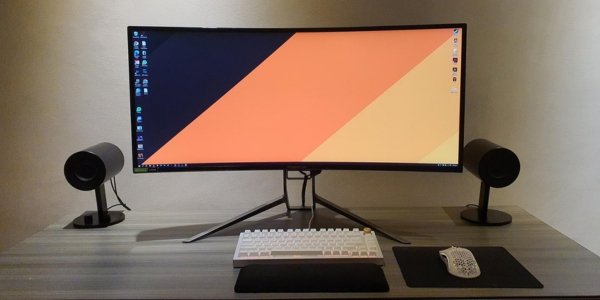
Branch & office openings
Equip new locations with employee devices, monitors, peripherals and supporting IT infrastructure.

Multi-city onboarding
Align laptop delivery and configuration planning with employees joining in different cities.

Remote & hybrid work
Review direct-to-employee delivery requirements alongside office destinations.

Workforce expansion
Plan additional equipment and hiring batches as your locations and headcount grow.

Project deployments
Coordinate rentals for temporary assignments and teams working at different client sites.

BPO, training & operations
Discuss standardized systems for operational teams, training batches and high-volume requirements.
ONE EQUIPMENT PLAN FOR YOUR WORKFORCE
The right device.
The right location.
Share each team's applications, specifications and quantities so equipment options can be reviewed by role and destination.
Laptops
Business systems for office, remote and project-based employees.
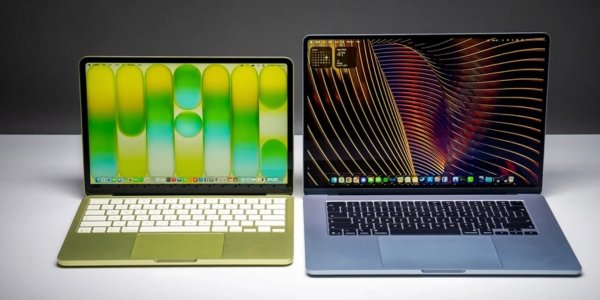
MacBooks & iMacs
Devices for development, design and teams using Apple environments.
Desktops & workstations
Fixed workspaces and specialist configurations for demanding applications.
FROM LOCATION LIST TO COORDINATED ROLLOUT
Bring every city
into one deployment plan.
Share your location list
Provide city-wise quantities, addresses, employee roles, dates and device specifications.
Review feasibility
Confirm coverage, configuration availability, preparation needs and delivery schedules.
Agree the proposal
Finalize commercials, documentation, support scope and responsibility for each location.
Prepare the equipment
Coordinate quality checks, approved configurations and allocation records.
Deploy to destinations
Arrange deliveries to confirmed offices or designated employees across covered locations.
Support & collect
Coordinate service requests, replacements, additions and rental-end retrieval.
COORDINATION AFTER THE FIRST DELIVERY
Keep your devices connected
to your people and locations.
A rollout is only the start. Agree how allocations, support requests, equipment changes and returns will be tracked throughout your rental term.
Discuss Your Operational NeedsDevice allocation & records
Define serial-number records, location lists, employee assignments and reporting responsibilities.
Configuration & security
Share software, licensing and MDM enrollment needs for review before equipment preparation.
Support & replacement coordination
Agree escalation contacts, coverage and replacement expectations for each destination.
Changes, extensions & retrieval
Discuss new locations, additional devices, contract changes, pickup and end-of-term data handling.
PLAN YOUR COMPLETE DELIVERY FOOTPRINT
Business hubs.
Employee addresses.
One coordinated
requirement.
Exact destination coverage and timelines are confirmed during planning. Share metro and non-metro requirements together so the team can review the complete rollout.
Check Your Deployment LocationsAcross India's business locations
Delivery dates and service scope depend on equipment, quantities, location and agreed terms.
MULTI-CITY DEPLOYMENT QUESTIONS
Clear answers.
Better rollout planning.
Can one requirement cover several Indian cities?
Yes. Share quantities, equipment specifications and dates for each city so the rollout can be reviewed together.
Can different locations receive different devices?
Yes. Requirements can be planned by role, team and location. The available models and configurations are confirmed in your proposal.
Can devices be delivered directly to employees?
Employee-address deliveries can be reviewed across covered destinations. Confirm addresses, contacts, schedules and retrieval arrangements before dispatch.
Can configurations be standardized across cities?
Share your device standard and acceptable alternatives. Matching inventory and any substitutions should be agreed before finalizing the deployment.
Can all locations receive equipment on the same date?
Share your target schedule early. Delivery feasibility and city-wise timelines are confirmed against inventory, preparation and logistics requirements.
What happens if a device fails in another city?
Follow the support contact and escalation process in your rental agreement. Replacement coverage and timelines depend on configuration, location and agreed service terms.
Can we add new locations or devices later?
Additional requirements can be discussed subject to availability, coverage and updated commercial terms.
Can devices be enrolled in our security or MDM environment?
Share licensing, enrollment and security requirements before planning. Agree compatibility, access and setup responsibilities with your administrators.
How are equipment returns coordinated?
Define collection locations, contacts, packaging, asset verification and data-removal responsibilities in the rental plan.
What information do you need for a quotation?
Provide city-wise quantities, configurations, exact destinations, deployment dates, rental duration, company details and any support requirements.
YOUR NEXT LOCATION DESERVES A CLEAR IT PLAN
Many locations.
One conversation to start.
Share your cities, devices and target dates. Request a proposal built around your complete rollout.
- City-wise device quantities and specifications
- Equipment availability and deployment dates
- Office and employee delivery requirements
- Setup, reporting and support scope
- Rental terms, billing and retrieval planning


